Blog, events and products
Alongside your pages, sitefern has content types for things that arrive over time and things you sell or showcase: a blog for articles, events for dated happenings, and products for a catalogue. All are listed on your live site, styled by your theme, and given the right structured data automatically.
Writing a blog post
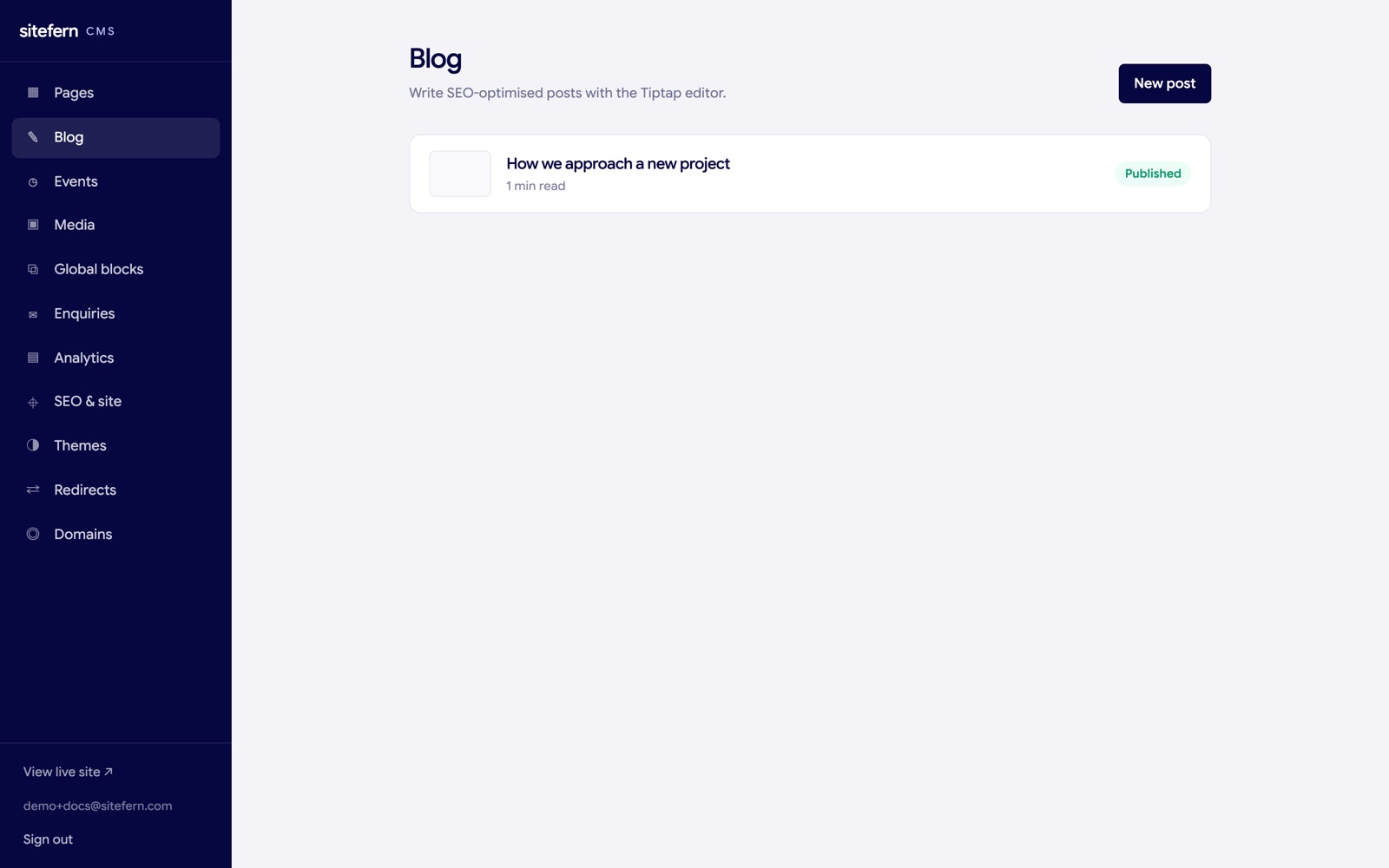
The Blog area lists your posts with their status and cover image. New post opens the writing screen.
The post editor has the writing area on the left and a settings sidebar on the right. You write the body in a rich editor that handles headings, lists, links, quotes and images, so a post reads well without any code. The title and a short excerpt sit above the body, and the excerpt doubles as the summary shown in listings and search results.
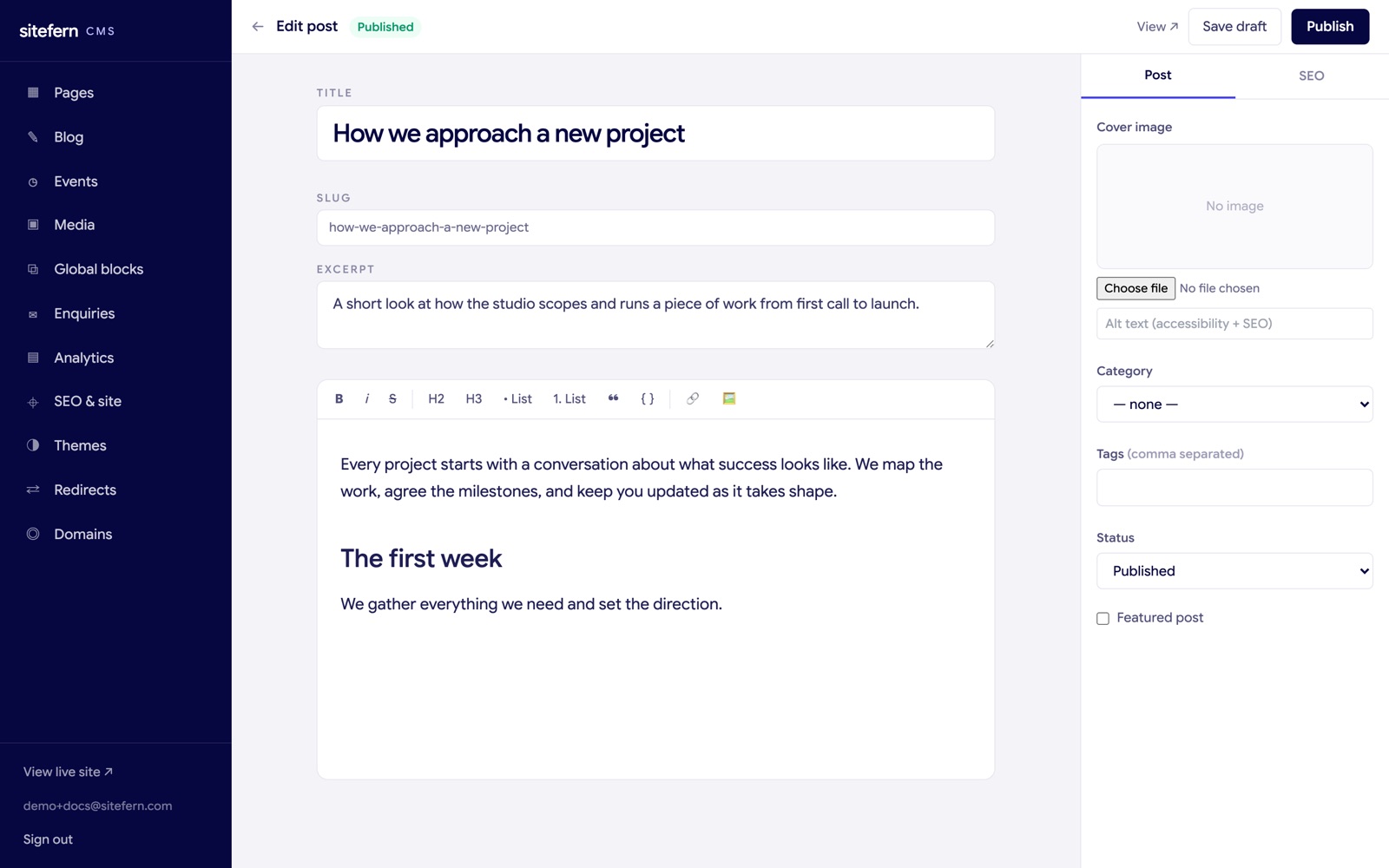
The sidebar holds everything about the post besides the body:
- Cover image and alt text. The image shown at the top of the post and in listings, with alt text for accessibility and search.
- Category. One category per post, used to group related writing.
- Tags. A comma separated list of finer topics.
- Status. Draft keeps the post private while you work. Published makes it live. Scheduled holds it until a date you set, when it goes live on its own. Archived takes an old post off the site without deleting it.
- Featured. A flag themes can use to highlight a lead post.
Save draft and Publish both sit in the top bar, so you can save privately or go live at any point. The SEO tab works the same way as it does for pages, with a title and description and a live preview of the search result. The excerpt is used as the description if you do not set one.
Published posts appear on your blog index, each on its own page with article structured data, and are added to your sitemap and your blog feed automatically, so readers and search engines pick them up. Themes can also show related posts at the foot of an article to keep people reading.
Publishing an event
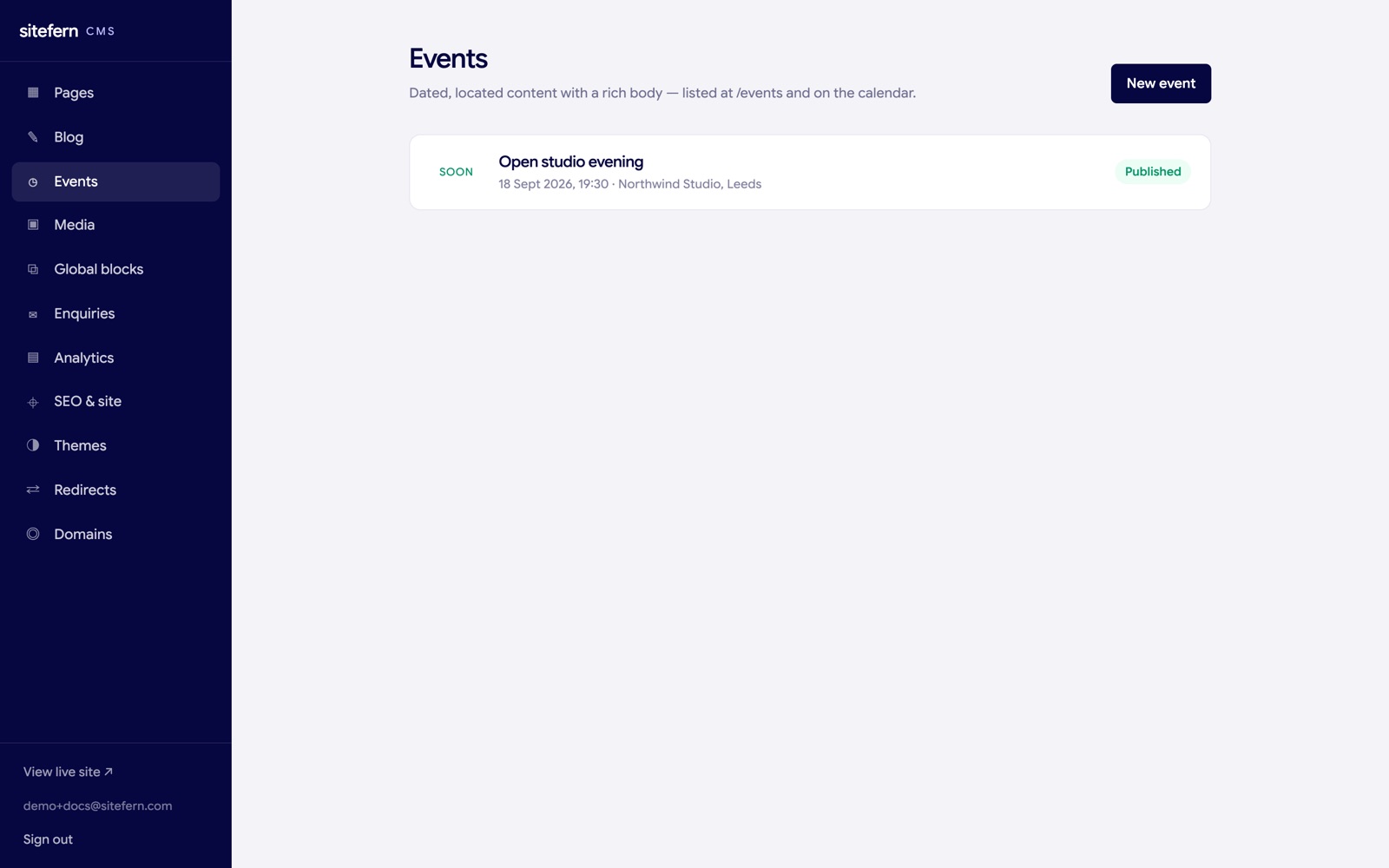
Events work like posts but are organised around a date, so they list in chronological order and can be upcoming or past. The Events area lists them with their date, location and status.
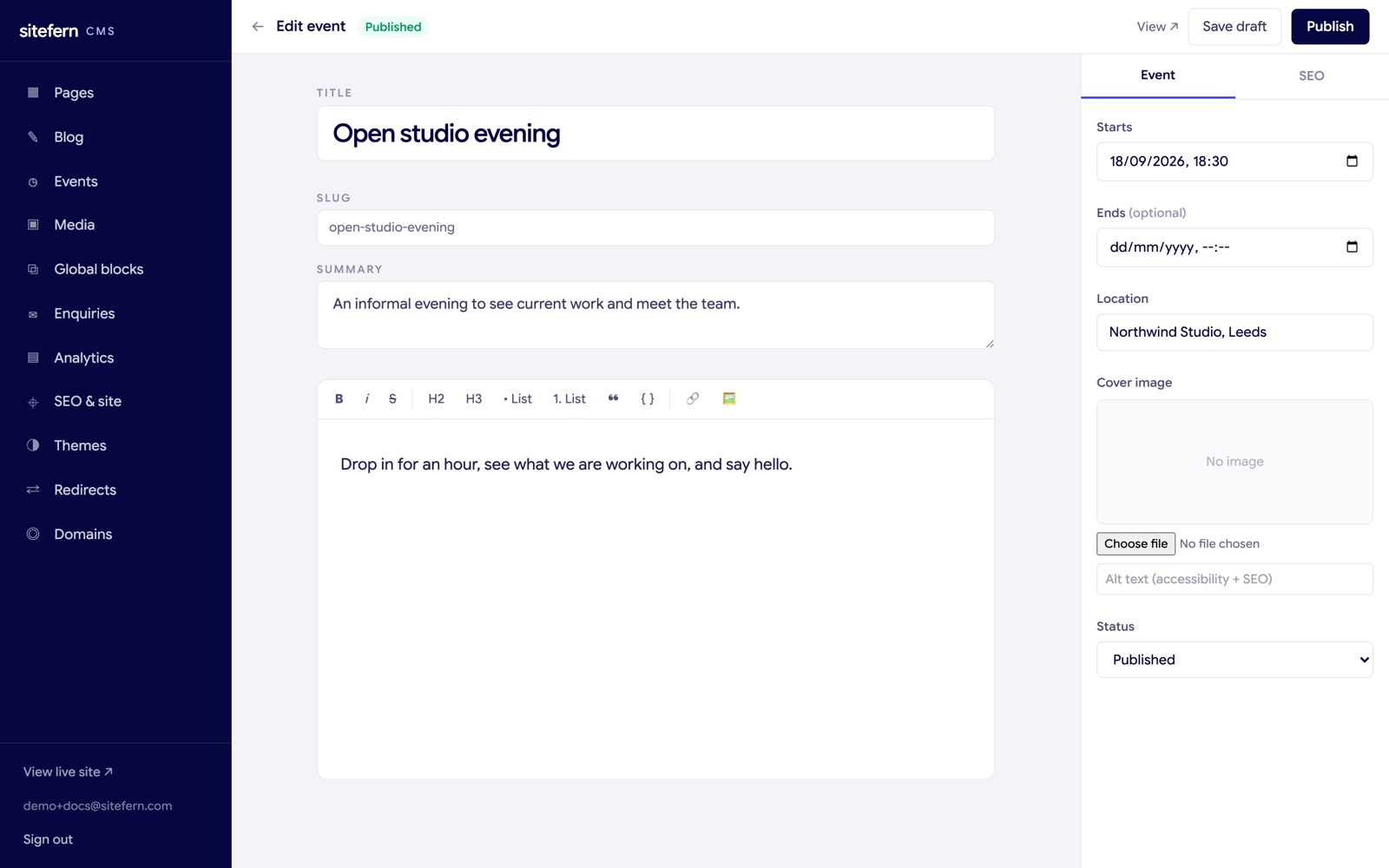
The event editor mirrors the post editor, with the same rich body, cover image and SEO tab, plus the fields an event needs:
- Start time. The date and time the event begins. This is what events are ordered by.
- End time. Optional, for events that run over a period.
- Location. A venue or "online".
- Summary. A short line shown in the listing and used as the search description.
- Status. Draft or Published, the same as posts.
The listing puts upcoming events first, in date order, then past ones, so the next thing happening is always at the top.
Published events appear at /events on your live site, each with its own page carrying structured event data so search engines understand the date and place. They are added to your sitemap too.
Listing a product
Products is a catalogue content type, for goods or services you want to show with a price and a description. It suits a shop window, a menu, a set of packages or a portfolio with prices, where each item earns its own page rather than sitting in a single block. The Products area lists what you have, with status and price at a glance.
The product editor follows the same shape as posts, with a title, a slug, a short summary and a rich body on the left, and the product's details in the right sidebar:
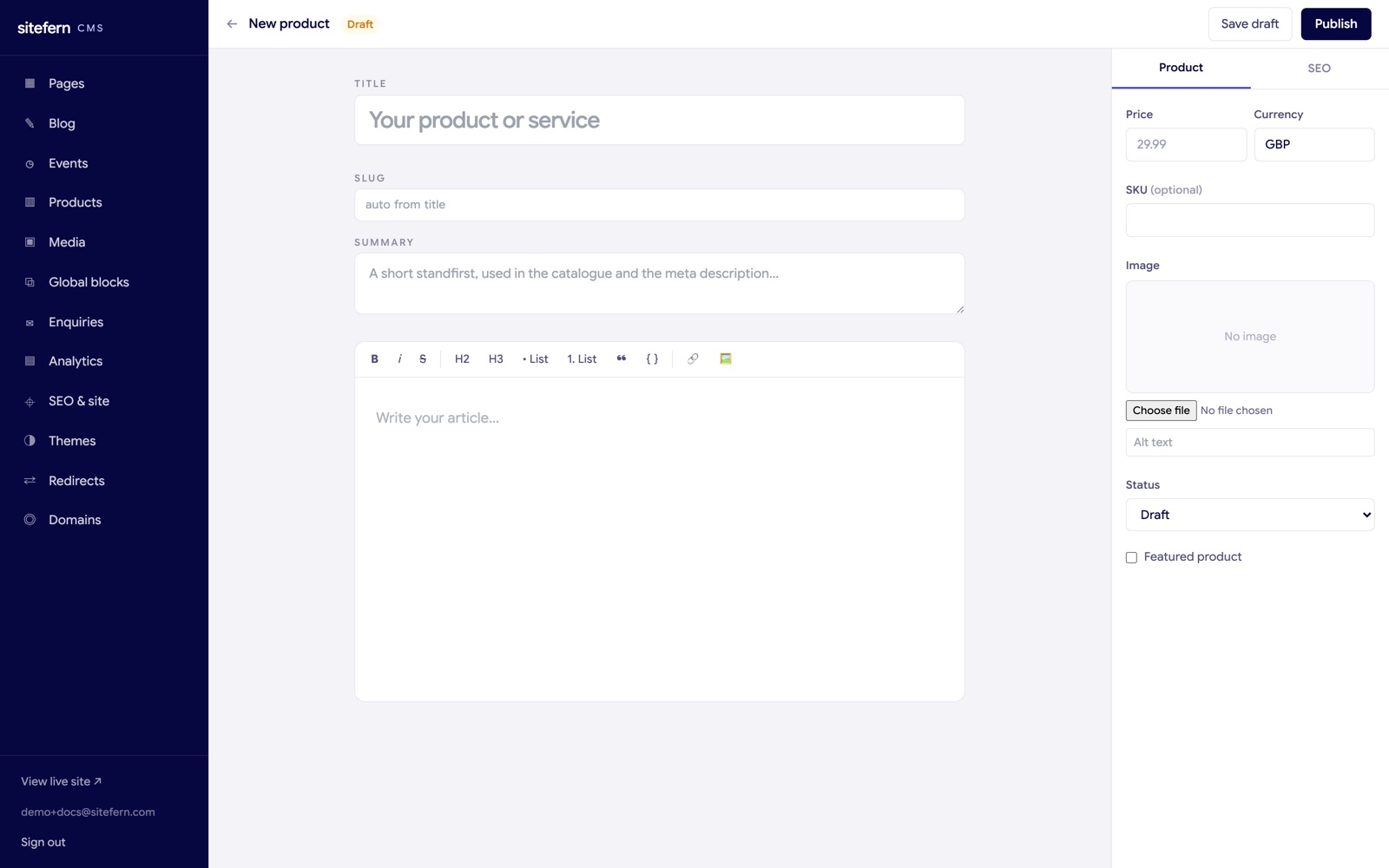
- Price and currency. The price and the currency it is in, shown on the product and carried into its structured data.
- SKU. An optional stock or reference code.
- Image and alt text. The main product image, with alt text for accessibility and search.
- Featured. A flag themes can use to highlight a lead product.
- Status. Draft while you prepare it, Published to make it live.
The SEO tab works exactly as it does for pages and posts, and the summary is used as the description if you do not set one.
Published products appear at /products on your live site as a catalogue, and each gets its own page at /products/its-name carrying Product and Offer structured data, so search engines can show the name, image, price and availability as a rich result. Products are added to your sitemap automatically. There is no checkout built in: a product showcases what you offer and points an interested visitor to your contact form or booking section to take the next step.