The AI assistant
sitefern has an optional AI assistant that can draft content, suggest an excerpt, write your search metadata, and describe an image for its alt text. It is help on tap, never automatic, and everything it produces is yours to edit before you save.
It is optional, and uses a model you connect
The assistant is off until a model is connected, and when none is, the buttons described below simply do not appear and everything else works as normal. sitefern works with any OpenAI-compatible model, including one you run yourself, so the content is sent to the model you choose rather than to us. When the assistant is available, you will see a small ✦ mark on the buttons that use it.
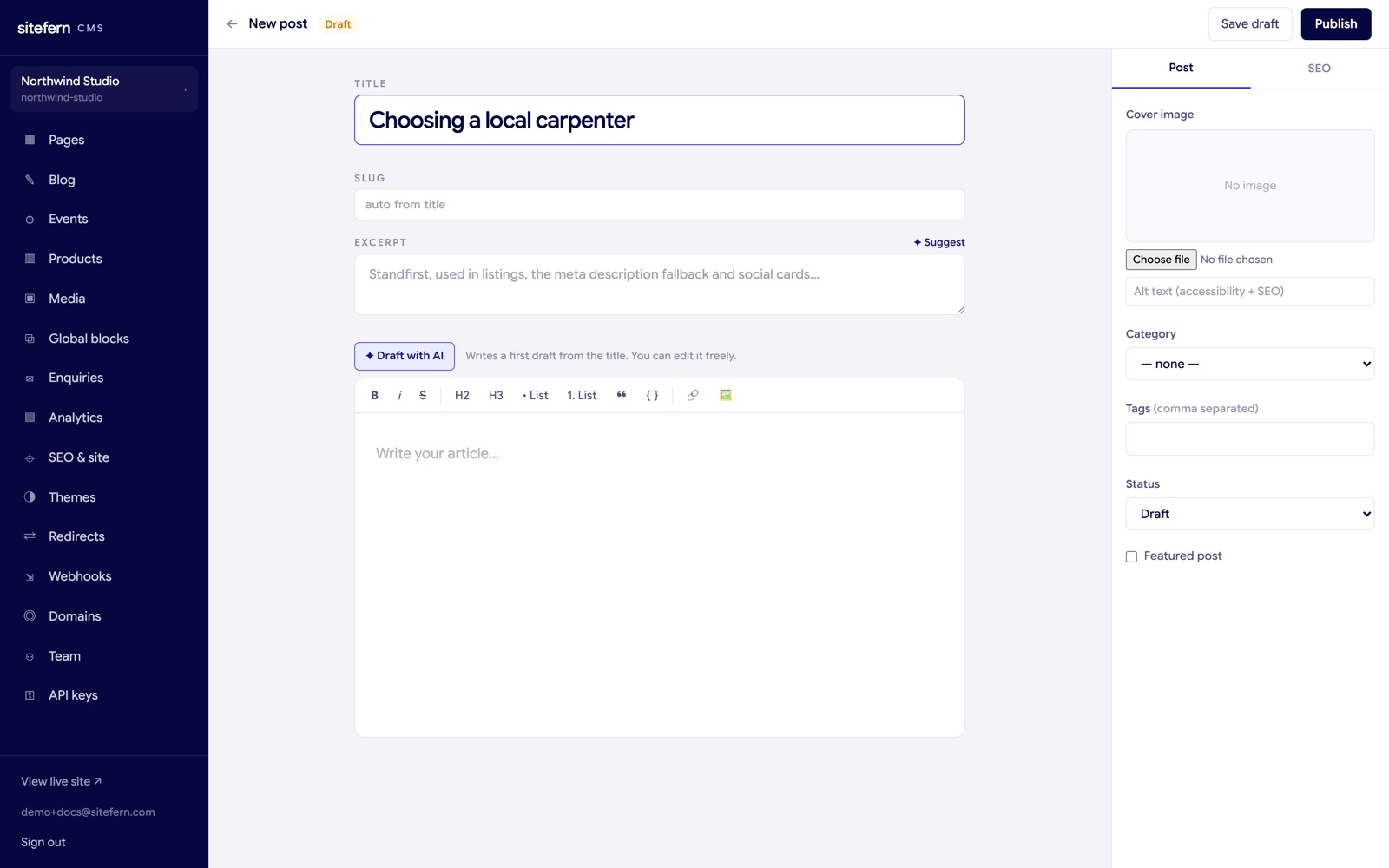
Draft a post or product
On a blog post, the Draft with AI button above the editor writes a first draft of the body from the title, with short paragraphs and a few subheadings. On a product, Draft description with AI writes a description from the product's name. It is a starting point to react to, not a finished article. If the body already has content, it asks before replacing it. Write the title first, then let the draft fill the page, then make it yours.
Suggest an excerpt or summary
Next to the excerpt on a post, or the summary on a product, the Suggest link writes a short standfirst from the title and what you have written so far. The excerpt is what shows in listings and, unless you set your own, in search results, so a clear one is worth having. As with everything here, the text drops straight into the field for you to trim.
Write SEO titles and descriptions
In the Page SEO tab of any page, post or product, Suggest title and description with AI reads the content and proposes a meta title and meta description sized for search results. This is the same assistant working on the part of a page that decides how it looks in Google. More on the SEO fields themselves is in SEO, analytics and enquiries.
Generate image alt text
When a vision-capable model is connected, a Generate alt text button appears beside the alt text field on a post's cover image and a product's image. It looks at the actual picture and writes a concise description, the kind that helps a screen-reader user and search engines understand the image. You can edit the result, and good alt text matters for both accessibility and SEO, so it is worth a quick check.
What the assistant does not do
It never publishes or changes anything on its own. Every suggestion lands in a field or the editor for you to accept, edit or ignore. Treat it as a fast first draft and keep your own voice on top, especially for anything a reader will judge you by.